.avif)
.avif)
Customer feedback plays a crucial role in shaping better products, enhancing the customer experience, and driving long-term growth. Yet most brands still rely on follow-up emails, reminders, or delayed incentives to collect it.
The result is predictable. Low response rates, rushed answers, and incentives that rarely feel rewarding.
There is a simpler and more effective approach. Capture feedback at the right moment and reward customers instantly without adding friction to the experience.
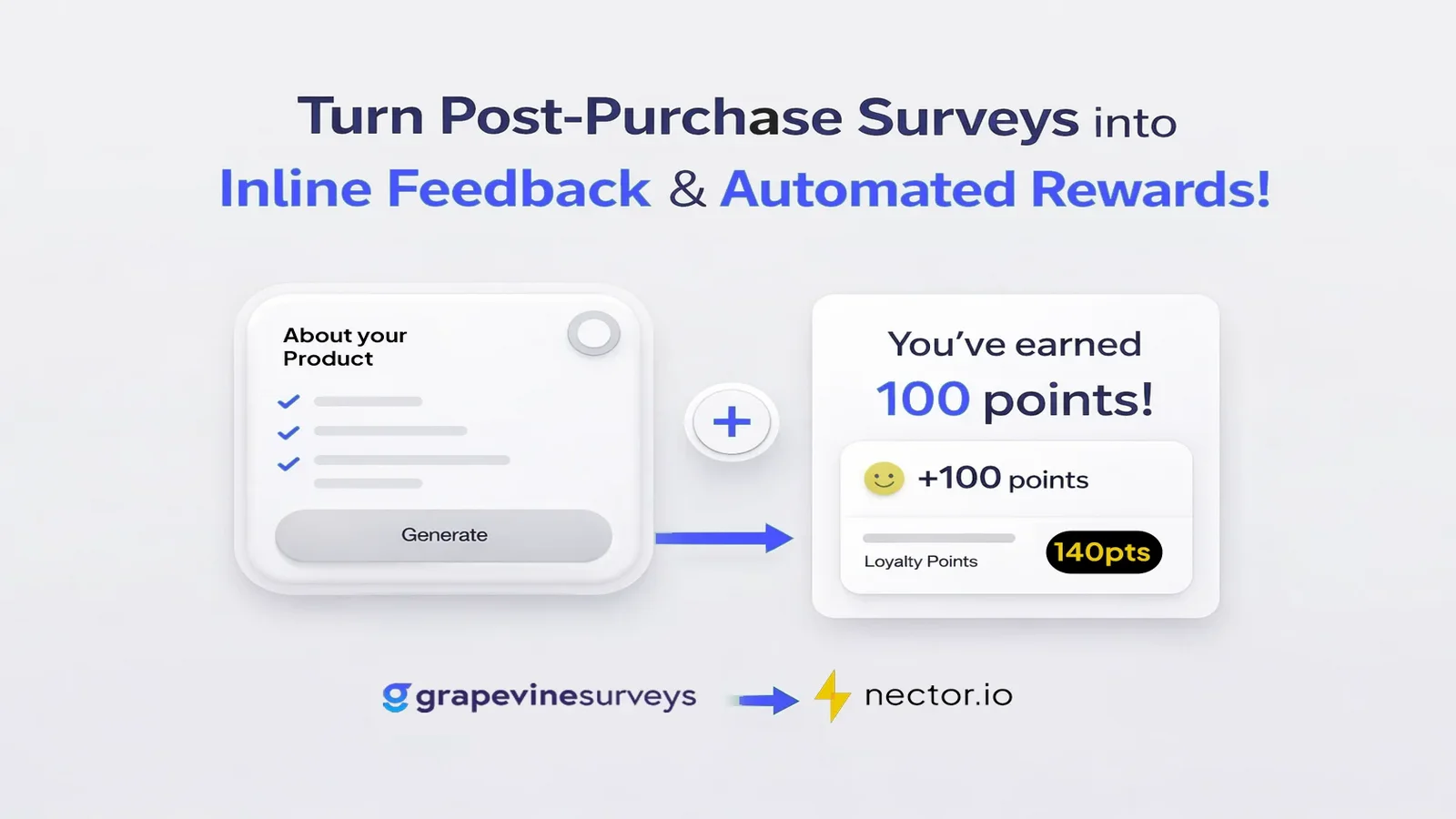
This is exactly what the Nector and Grapevine integration makes possible.
In this blog, we explain how brands can automatically reward customers for completing post-purchase surveys using Grapevine Surveys and Nector.io loyalty reward program, powered by Shopify Flow.
Quick Glance
- Why post-purchase surveys fail when feedback and rewards are delayed
- How Grapevine captures high-intent feedback directly on the Shopify thank you page
- How Nector instantly rewards customers for survey completion via Shopify Flow
- The automated, no-friction workflow that runs silently in the background
- Why rewarding feedback with loyalty beats discount codes for long-term growth
Why traditional feedback collection falls short
Most feedback requests reach customers after they have already left your store. An email arrives hours or days later, asking them to click through, answer questions, and wait for a reward.
This approach fails for three reasons.
- First, intent fades quickly after purchase.
- Second, surveys feel like extra work.
- Third, delayed rewards break the motivation loop.
Customers are far more likely to share feedback when it feels immediate, relevant, and appreciated in real time.
A better approach to post-purchase feedback
Automatically reward customers for survey completions using Nector and Grapevine
With Grapevine and Nector, feedback collection and rewards happen as part of a single, seamless experience.
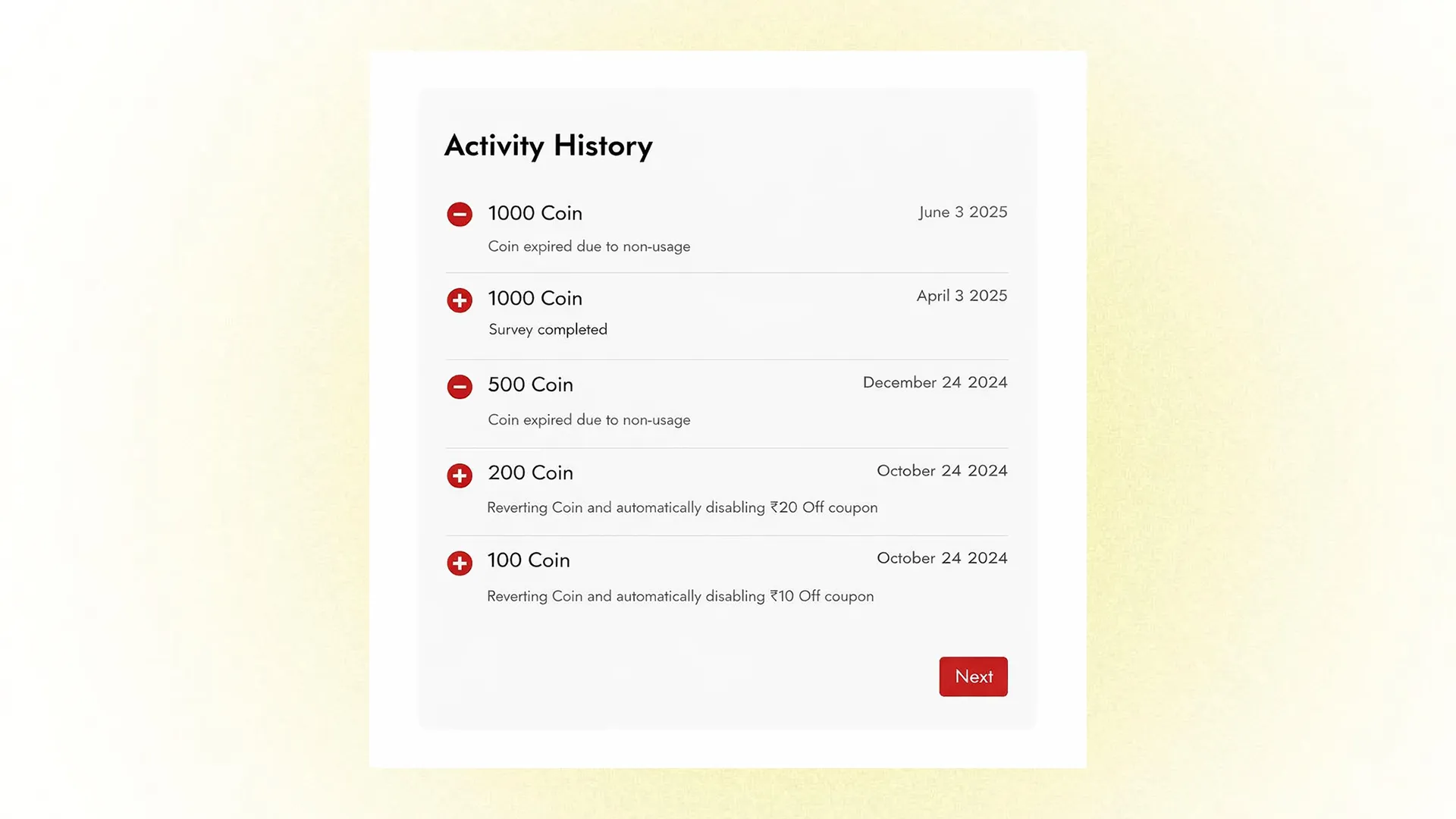
Customers complete a short survey directly on the Shopify thank you page. The moment the survey is submitted, a reward is automatically credited to the customer through the Nector.io reward program
There are no extra steps, no codes to copy, and no visible loyalty interface unless you choose to add one.
What Grapevine does
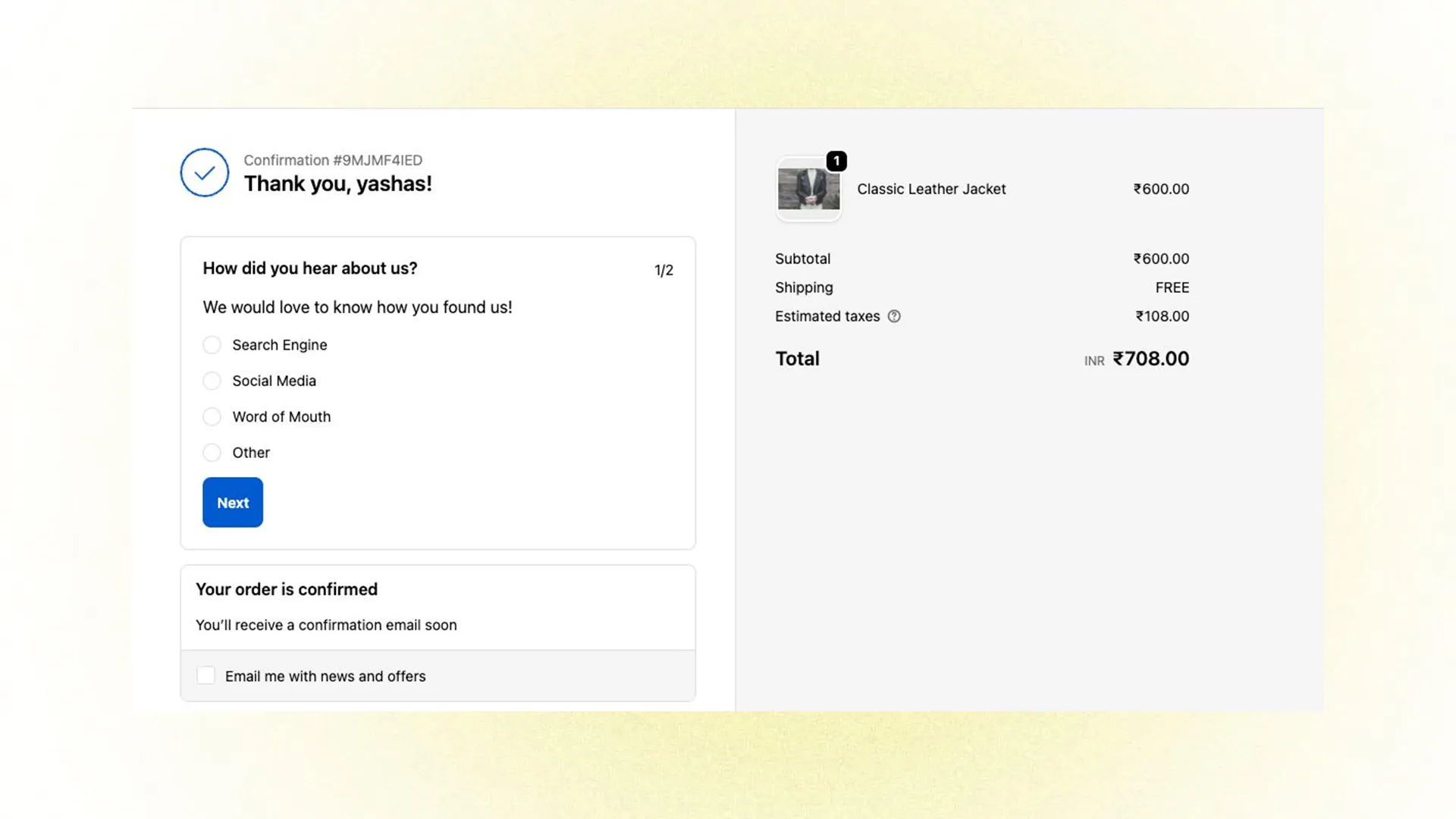
Collect customer feedback instantly after checkout using Grapevine Surveys on Shopify.
Grapevine Surveys allows Shopify brands to place surveys exactly where customers are most engaged.
These surveys can appear on the thank you page immediately after checkout or anywhere else on the site.
Because the customer has just completed a purchase, response rates are significantly higher, and answers are more thoughtful.
Grapevine supports a wide range of use cases, including post-purchase feedback, attribution questions, NPS surveys, and onsite micro-surveys.
What does Nector.io do?
Nector handles the rewarding layer.
Using a simple Shopify flow, Nector can instantly credit a customer's wallet balance, cashback, or loyalty points as soon as a survey is completed.
This happens entirely in the background. Customers do not need to log in, apply coupons, or interact with a loyalty widget.
The reward simply exists and can be used in future purchases.
How does the workflow work?
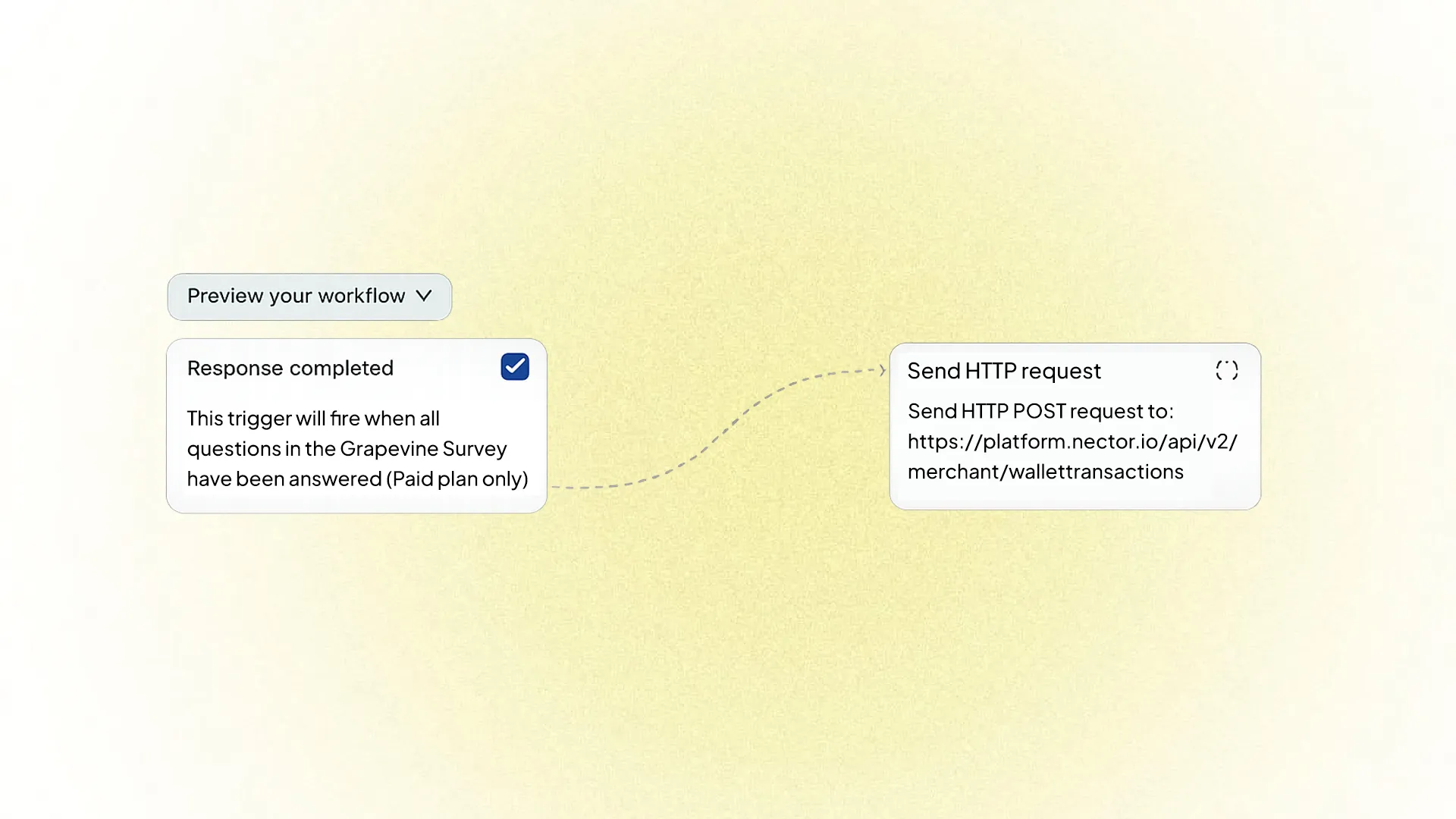
Automatically trigger Nector rewards when a Grapevine survey is completed using Shopify Flow.
This setup uses Shopify Flow and requires no custom frontend development.
Step 1: Customer completes a survey
After checkout, the customer sees a Grapevine survey on the Shopify thank you page. The survey might ask how they heard about the brand or how their purchase experience was.
Step 2: Grapevine triggers Shopify Flow
Once all survey questions are answered, Grapevine triggers a “response completed” event inside Shopify Flow.
Step 3: Shopify Flow sends data to Nector
Shopify Flow then makes an API call to Nector’s rewards API. This request contains the customer details and reward information.
Step 4: The reward is credited automatically
Nector processes the request and credits the reward instantly. The customer is now rewarded without any additional action.
Why does this work so well for brands?
This workflow improves feedback collection while keeping the customer experience clean and focused.
There are no popups, banners, or loyalty prompts interrupting the checkout journey. Everything runs silently in the background.
Because the reward is instant, customers feel appreciated rather than incentivized after the fact.
From an operational standpoint, the workflow is fully automated. Once it is live, it works for every customer and every survey without manual effort.
Use cases brands commonly run
Brands use this setup to reward customers for sharing how they discovered the brand, rating their checkout experience, providing product feedback, or completing NPS surveys.
It also works well for on-site surveys that help with segmentation and personalization.
Any survey created with Grapevine can be connected to Nector rewards in the same way.
Why is it better than discount codes?
Discount codes often go unused, training customers to wait for price drops.
Rewarding survey completion through Nector feels different. The value is stored for later use, does not interrupt the purchase, and builds long-term loyalty rather than one-time conversion.
It also gives brands full control over reward value and redemption logic.

Getting started
To set this up, install Grapevine Surveys on your Shopify store and create your post-purchase survey.
Next, build a Shopify Flow using the Grapevine response completed trigger and add a send HTTP request step pointing to Nector’s wallet transactions API.
Once the workflow is active, survey completions and rewards will run automatically.
Wrapping Up
Customers are willing to share feedback when it feels relevant and valuable. The key isn’t asking more often, it’s asking at the right moment and responding with immediate value.
By using loyalty points to reward feedback, brands turn insight collection into a two-way relationship. Every response helps businesses understand their customers better, refine marketing, and drive growth, while customers feel acknowledged and rewarded. When feedback is timely, meaningful, and mutually beneficial, it strengthens trust and deepens long-term loyalty.
Frequently asked questions
Do customers need to log in or apply a coupon to get rewards?
No. Rewards are credited automatically in the background with no extra steps.
Where do the surveys appear?
Surveys can be shown on the Shopify thank you page or anywhere on the storefront using Grapevine.
Is any custom development required?
No. The entire setup runs using Shopify Flow with no frontend development.
What types of rewards can be given?
Brands can offer loyalty points, cashback, or wallet credits via Nector.io.
Why is this better than offering discount codes?
Rewards are stored for future use, don’t interrupt checkout, and help build long-term loyalty instead of one-time conversions.