








%201.webp)
.avif)
.avif)
You already have customers who love what you sell, but they stay quiet. That silence costs you sales. Stores with 50+ reviews see 15 percent higher conversion rates, yet most stores never reach that level of social proof. How many of your last 100 customers left a review? For most founders, the answer is far too low. Reviews also make up about 10 percent of local SEO ranking factors, so fewer reviews means less visibility on Google.
Your store looks risky without proof, even if your product is strong. Shoppers scroll, compare, and leave when they do not see enough feedback. How many people saw your product but did not trust it enough to buy? This is not about quality. It is about what buyers can see.
This page shows you how to get more reviews and more referrals using simple links, clear timing, and short messages that work. You will also find ways to improve your referral program and creative ways to retain clients and generate referrals without begging or discounts.
Read This First If You’re Short on Time
- Put one review link everywhere customers already click. That single habit will get more reviews without extra messages or follow-ups.
- Tie every review and referral to a visible reward. Progress bars and points change customer behavior more than polite reminders ever will.
- Ask when the customer just won. Delivery, support resolution, and repeat orders create the strongest moments to collect feedback and getting referrals.
- Use private channels to drive how to get referral traffic. WhatsApp, SMS, and account pages turn quiet buyers into active advocates.
- Run reviews, referrals, and loyalty as one system. That is one of the simplest creative ways to retain clients and generate referrals while saving time.
How to Make It Easy for Customers to Leave Reviews Using Simple Placements
Most customers do not skip reviews because they are unhappy. They skip them because they do not know where to go. If the review link is hidden or takes effort to find, the moment passes. You get more responses when the path from purchase to review takes one click or one scan.
To get more reviews, you need to put the link where customers already look. These are the moments when they are still thinking about their order and your brand.
Use a single direct review link and place it in high-visibility touchpoints:
Tools like Google Business Profile let you generate a direct Google review link. Shopify stores can place that same link inside order emails and thank-you pages so every buyer sees it without extra clicks.
Where to Put Review Links to Get More Reviews
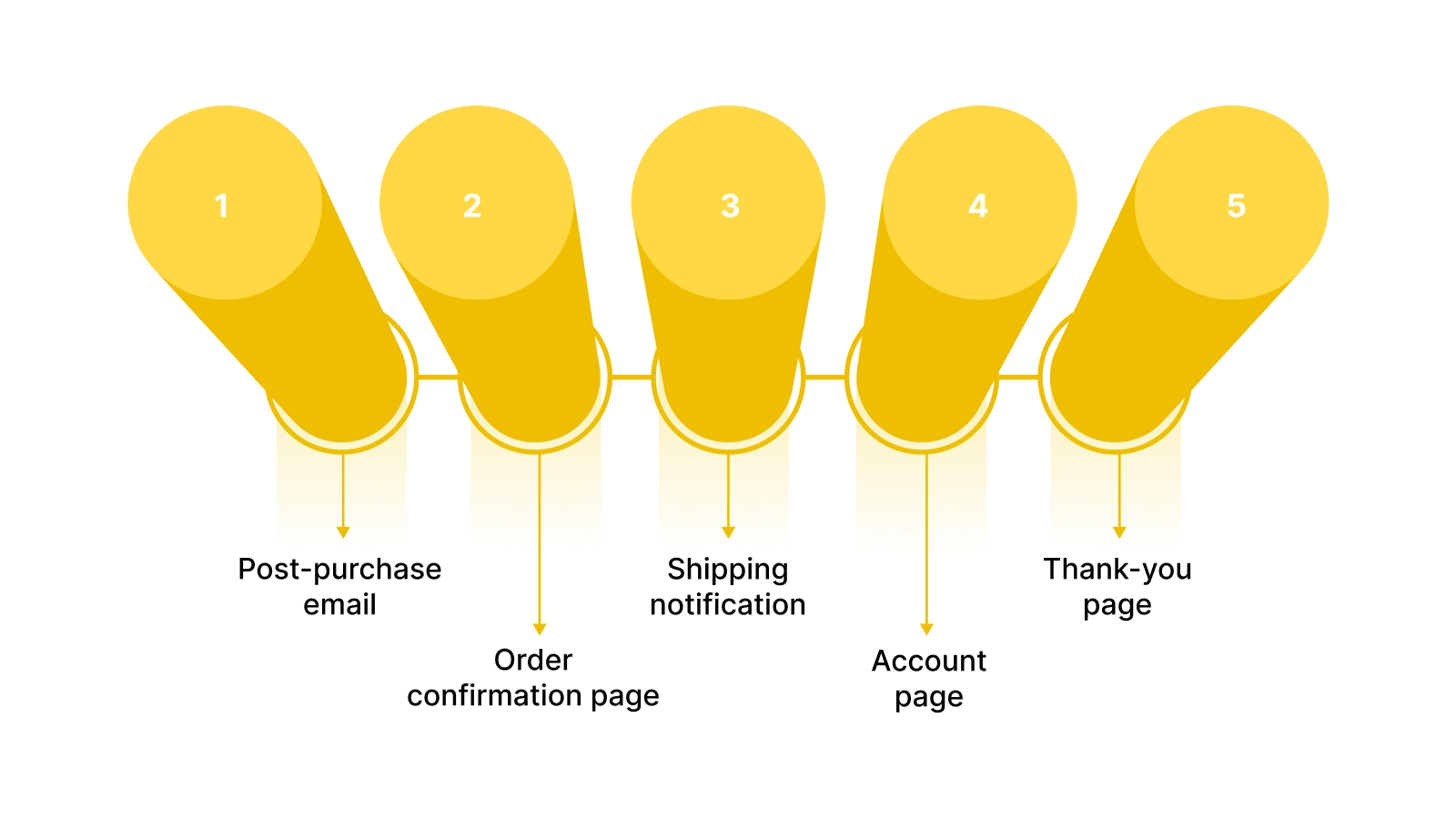
Placement matters more than persuasion. A simple request in the right place gets more responses than a perfect message hidden in the wrong one. The goal is to keep the review link visible during moments when the customer is already engaged.
Use these five placements to get more reviews without chasing people:
- Post-purchase email: This hits when customers are checking their receipt or delivery details. Add one clear button that opens your review page.
- Order confirmation page: This page has the highest attention rate. Place a short review request under the order summary.
- Shipping notification: Customers open these emails to track their package. Add a line with your Google or product review link.
- Account page: Returning buyers log in to reorder or check status. A visible review link removes friction.
- Thank-you page: This is the final step after checkout. Add a short prompt with a single tap link.
Each placement puts the link where customers already are, which removes the need to search or remember later.
Also Read: 7 Ways Online Customer Reviews Boost Trust, Sales, and Loyalty
How QR Codes Help You Get More Reviews From Offline and Packaging
QR codes remove typing and guessing. A customer scans and lands on the review page in seconds. That simple action lifts response rates because nothing needs to be copied or searched.
Use QR codes anywhere a customer physically touches your brand:
- Packaging inserts: Add a small card that says “Scan to leave a quick review.”
- Store counters: Place a printed QR next to checkout so in-store buyers can scan while waiting.
- Delivery slips: Print the QR next to the order summary so it is seen when the box is opened.
Most QR generators, including Google’s built-in QR tool and tools like QR Code Generator, let you link directly to your Google review page or Shopify product review form. When scanning is faster than typing, more customers follow through and leave feedback.

Once the link is easy to find, the next thing that decides whether you get a review is timing. Even a perfect link fails if it shows up at the wrong moment.
When to Ask for Reviews So You Get More Reviews, Not Silence
Timing changes everything, even when customers are happy. If you ask too early, the experience is not finished. If you ask too late, the memory fades. You get better results when the request matches a moment when trust and attention are both high.
Use timing rules instead of guessing. These moments are built around customer actions that show satisfaction and readiness.
Use these timing checkpoints to decide when to send a review request:
Tools like Shopify order status and help desk tools such as Zendesk let you trigger review messages when these events happen instead of sending them at random. Nector connects these triggers across Shopify and support tools, so review requests go out the moment a delivery, ticket, or repeat order happens.
The 3 Moments That Get More Reviews
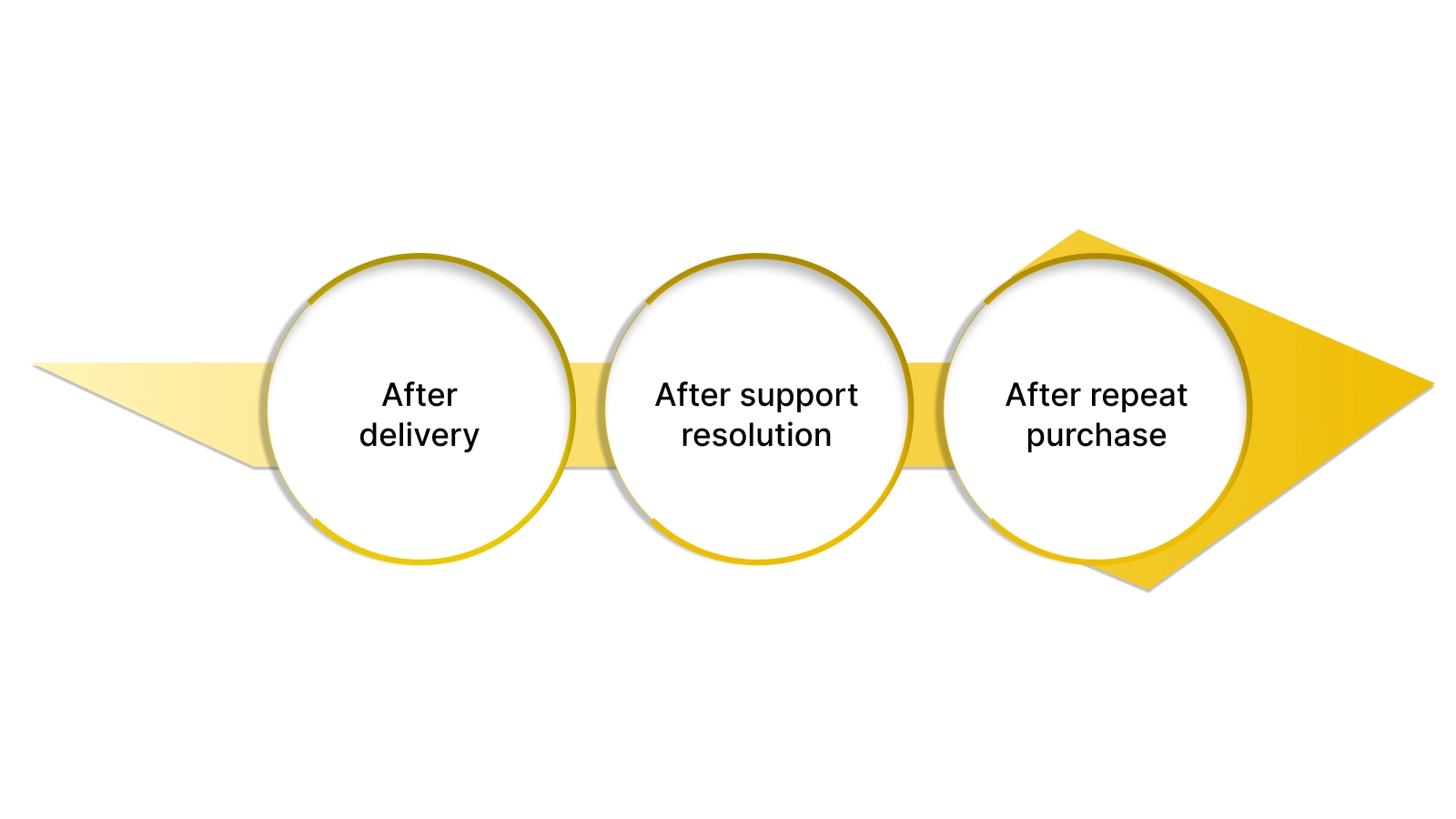
Each of these moments happens after a positive action. That is when customers are most open to sharing feedback. The rule is simple. If you ask before the product or service is experienced, response drops. If you ask after a clear win, it rises.
Use these three moments to collect reviews with less friction:
- After delivery: The customer has the product in hand and is forming a first impression. Send the review link when the delivery status changes to completed in Shopify.
- After support resolution: A solved issue builds trust. When a ticket is marked closed in tools like Zendesk or Freshdesk, send a short review request that thanks them for their time.
- After repeat purchase: A second order shows confidence. Trigger the review request when a returning customer checks out again.
Each of these moments ties the request to a success point, which makes customers more willing to respond.
Also Read: Unlock 5-Star Reviews: Winning Strategies for E-commerce Success
Getting the timing right puts you in front of the customer at the perfect moment. The next question is where that message should land so it actually gets seen.
Best Channels to Ask and Get More Reviews
The same message performs differently across channels. A customer who ignores an email may reply to a text in seconds. SMS review requests reach 38 percent engagement compared to 27 percent for email, according to Birdeye’s State of Online Reviews 2025 report.
To get more reviews, you need to match the channel to the moment and the customer. These options cover both online and in-store buyers.
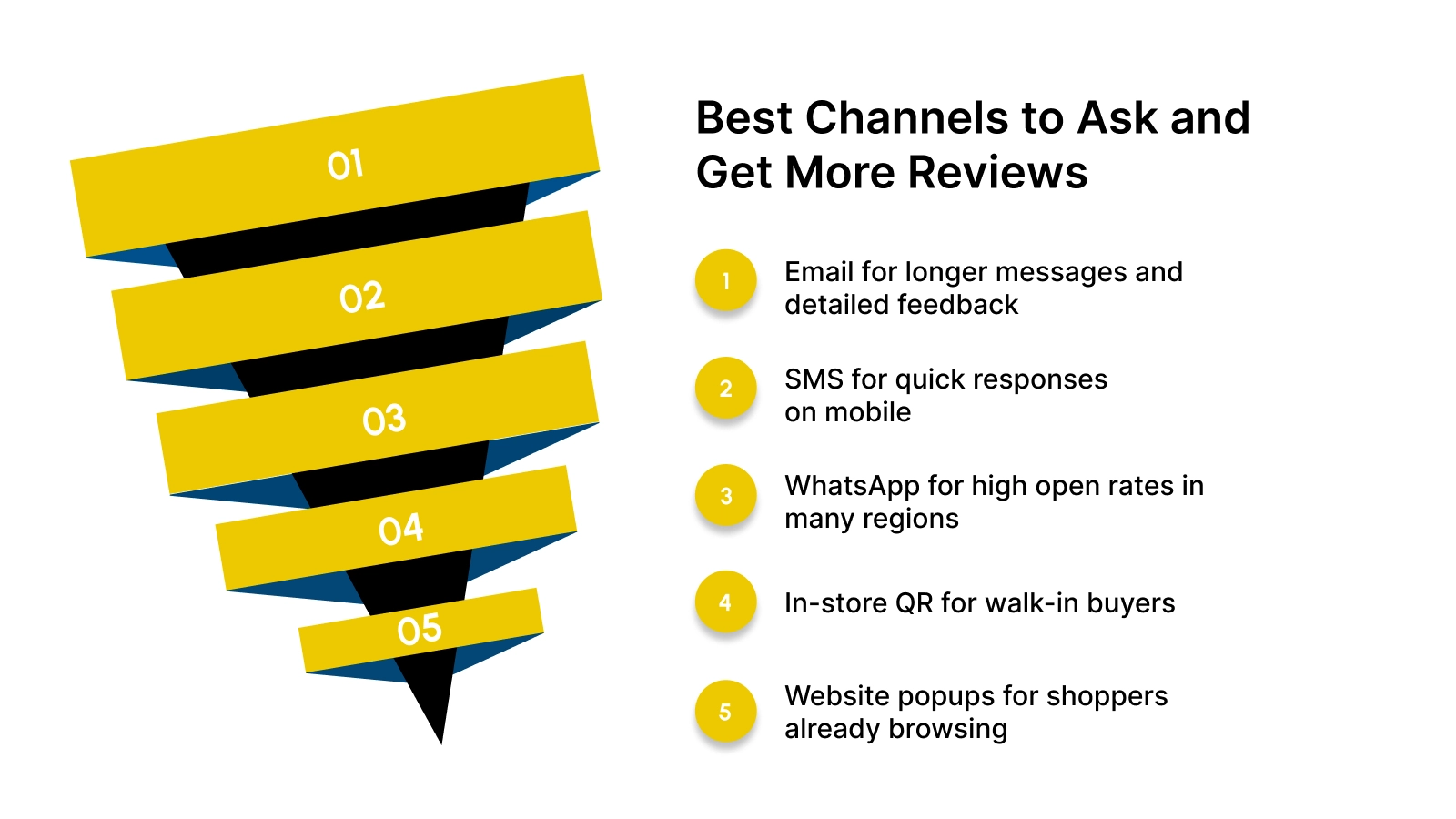
Use these channels to reach customers where they are most likely to respond:
- Email for longer messages and detailed feedback
- SMS for quick responses on mobile
- WhatsApp for high open rates in many regions
- In-store QR for walk-in buyers
- Website popups for shoppers already browsing
Tools like Klaviyo, Twilio, and WhatsApp Business let you send review links through these channels without manual work. Nector pulls these channels into one system, so you can send Google, WhatsApp, and email review links from a single dashboard.
Once your message reaches the right channel, the next thing that decides the result is what you actually say. A few words can make the difference between silence and a new review.
Review Request Templates That Get More Reviews
Wording matters more than discounts. A clear and respectful message gets better results than any coupon or reward. Customers respond when the request feels quick, helpful, and easy to act on. If your message sounds forced or salesy, most people ignore it.
Use short messages that show you value their time and explain how their feedback helps your business. These templates work across email, WhatsApp, Google, and in-store without offering incentives.
Follow these message rules before sending anything:
- Keep it under three short lines
- Include one direct review link
- Focus on helping your store, not on asking for favors
Copy-Paste Messages That Get More Reviews
These messages are built for fast reads and quick action. Replace the brackets with your store name and your Google or product review link.
Use these templates across your main channels:
- Email:Subject: Thanks for your order
Hi [Name], thanks for shopping with [Store]. Could you share a quick review? It helps other shoppers and takes less than a minute.
[Review link]
- WhatsApp:Hi [Name], thanks for your order from [Store]. Could you leave a quick review here? It really helps us.
[Review link]
- Google review request:Hi [Name], your feedback helps small businesses like ours grow. Please leave a short Google review here.
[Google review link]
- In-store script:Thanks for visiting [Store]. If you have a minute, please scan this QR code to leave a quick review. It helps us improve and serve you better.
Each message keeps the focus on the business and the customer experience. There is no begging and no incentives. You give people a clear link and a simple reason to act, which helps you get more reviews with less effort. In Nector, these messages can auto-send after delivery or support resolution and award loyalty points when a review is submitted.
Also Read: Reviews as a Growth Engine: How to Leverage Customer Feedback for Expansion
The right words can get you a lot of reviews, but the wrong kind of reward can make them disappear. Before you add incentives, it helps to know what Google will accept and what it will not.
How to Get More Reviews Without Breaking Google Rules
Cash discounts and gift cards tied to reviews can get your listings flagged or removed. Google wants reviews to reflect real customer opinions, not paid endorsements. If you offer money in exchange for five stars, your reviews risk being filtered out, or your profile may lose trust.
Use methods that stay within Google’s policies and still help you get more reviews.
Here is what Google allows and what it flags:
Safe ways to encourage reviews without cash:
- Offer loyalty points that can be used on future orders
- Give tier progress in your rewards program
- Provide store credits not tied to review sentiment
Tools like Google Business Profile and Shopify let you send neutral review links while platforms such as Nector can award points after a review is submitted.
Once your review requests stay within Google’s rules, the next step is to make those reviews more convincing. That is where photos and videos change how buyers see your brand.
How to Get Photo and Video Reviews That Build Trust
Visual proof sells better than star ratings. Shoppers trust real photos and videos because they show how a product looks outside studio lighting. When you collect visual reviews, you make buying feel safer for new visitors.
Focus on moments when customers already have the product in hand.
Use these steps to collect visual reviews:
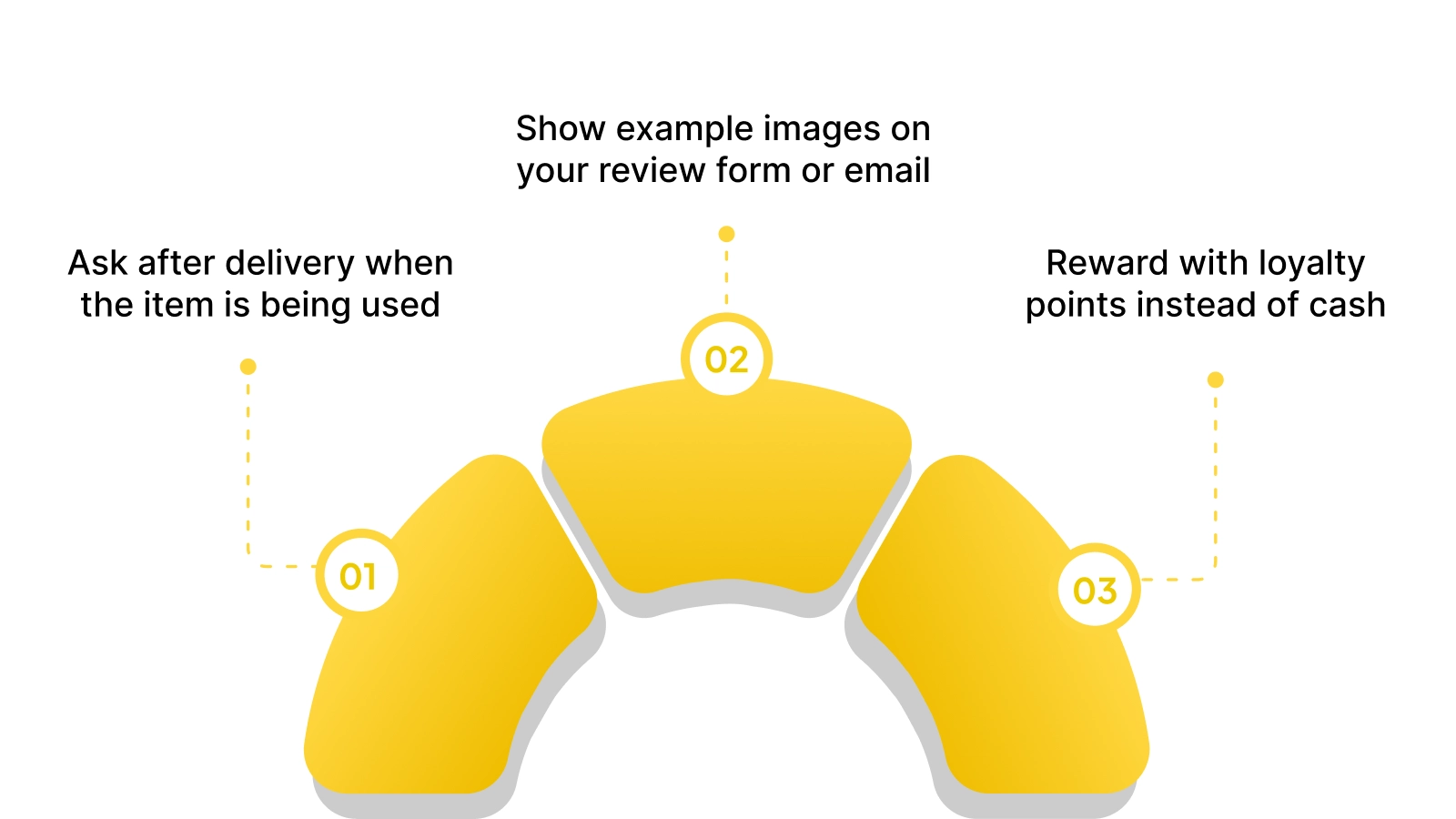
- Ask after delivery when the item is being used
- Show example images on your review form or email
- Reward with loyalty points instead of cash
Where to request visual reviews:
Platforms like Judge.me and Google Reviews support photo uploads and video clips so customers can share what they received.
Also Read: How to Get Reviews for Your Shopify Store?
Photos and videos help you win new buyers, but not every review will be perfect. What matters next is how you respond when something goes wrong.
How to Handle Negative Reviews Without Losing Sales
Silence hurts more than bad feedback. When a negative review sits without a response, shoppers assume the issue is still unresolved. A fast and calm reply shows you take customer experience seriously.
Follow these steps to protect trust when something goes wrong:
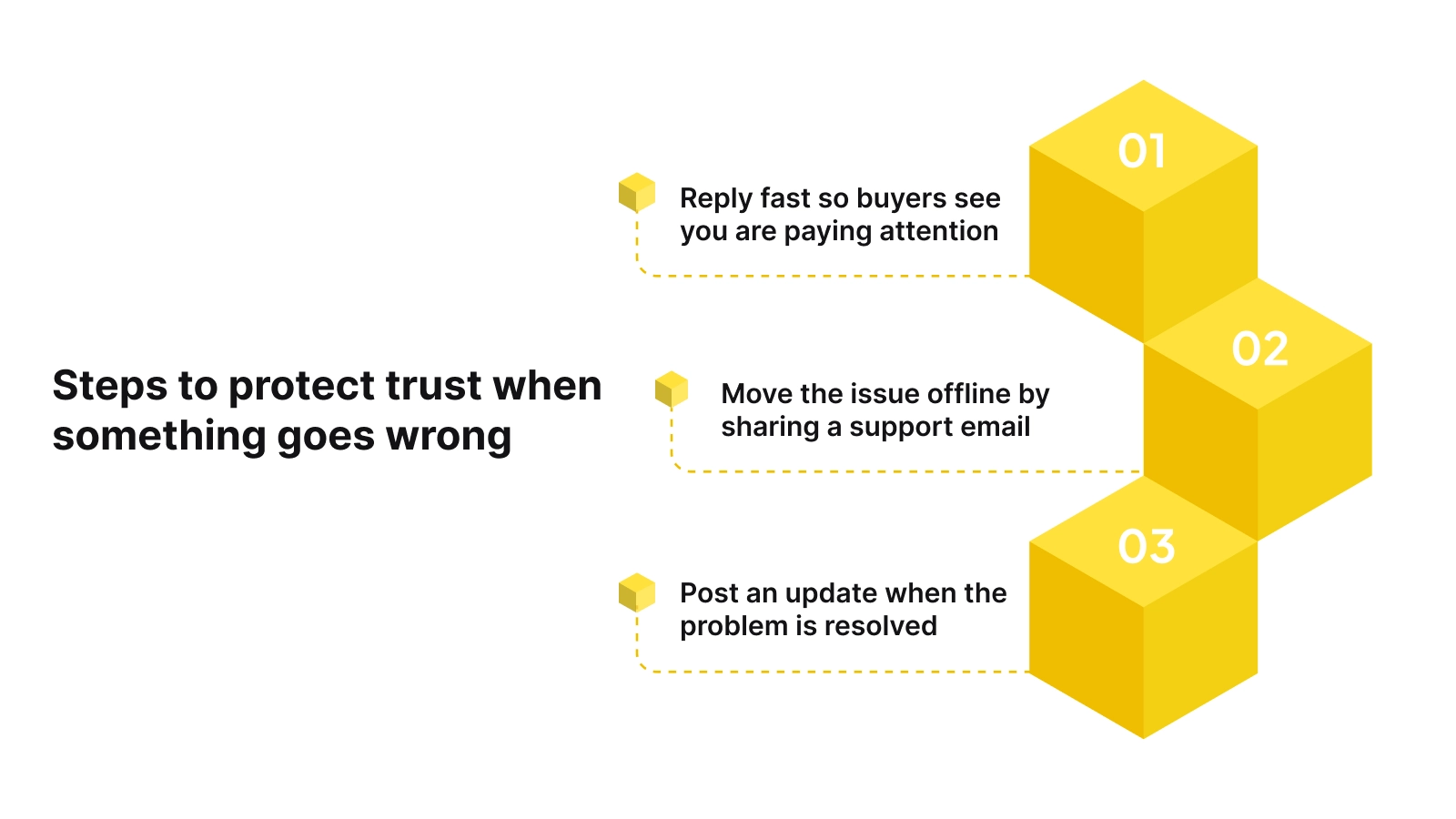
- Reply fast so buyers see you are paying attention
- Move the issue offline by sharing a support email or ticket link
- Show the fix by posting an update when the problem is resolved
Use this response flow:
- Acknowledge the issue
- Offer a way to contact support
- Confirm the resolution publicly
Tools like Zendesk or Freshdesk help you track and close these cases while your public reply on Google or your product page shows that you handled it properly.
Handling issues well protects your reputation. The next step is turning every happy outcome into steady growth without more manual work.
How Nector Helps You Get More Reviews, Referrals, and Repeat Buyers
You can collect reviews and referrals by hand, but it does not scale. Messages get missed, links get forgotten, and follow-ups never happen. Nector replaces that manual work with automated flows that run every time a customer buys, reviews, or refers. You move from chasing responses to watching them come in.
Nector connects review requests, loyalty rewards, and referral links in one system. You send messages through WhatsApp, email, and Google without switching tools. Every action feeds into points, progress bars, and rewards that keep customers engaged.
Nector’s core features work together like this:
Here is what you get in one place:
- Review automation that sends Google and product review links after delivery or support resolution
- Loyalty rewards for reviews that give customers points when they leave feedback
- Referral links that customers can share through WhatsApp, email, or social
- Progress bars and points that show how close a customer is to their next reward
- Integrations with Shopify, Klaviyo, Google Reviews, and WhatsApp. You can explore all integrations inside Nector’s dashboard
This setup shows how to get referral traffic without manual tracking. It also adds creative ways to retain clients and generate referrals by tying every action to visible rewards. You can improve your referral program by controlling points, bonuses, and tiers from one place. When reviews, referrals, and rewards run together, growth becomes predictable.
Conclusion
You no longer have to chase customers for feedback. When review links are easy to find, and messages go out at the right time, reviews start coming in on their own. Your store gains trust, your Google listing looks stronger, and shoppers feel ready to buy. You also get a steady flow of real customer proof without constant follow-ups.
That is where Nector fits. It brings review requests, loyalty rewards, and referral links into one automated system. You save time while getting more reviews, more referrals, and more repeat purchases from every customer.
If you want to grow trust and revenue without adding work for your team, Nector gives you the tools to do it. Book a demo and see how easy it is to turn happy customers into public proof and long-term advocates.
Frequently asked questions
How can I get more reviews from customers who never open my emails?
You should route requests through mobile-first touchpoints like SMS or in-app prompts that match how those customers already communicate. Pair that with a single-tap review link to reduce friction.
How do you get referrals from customers who never talk about your brand publicly?
You can prompt private sharing with referral links tied to rewards so customers feel useful without posting online. This works well for buyers who prefer direct messages
What are creative ways to retain clients and generate referrals after a refund or return?
You can offer loyalty points for a follow-up purchase and a referral credit for bringing someone new. This reframes a bad experience into future value.
How can you find referrals inside your existing customer base without running campaigns?
You can track repeat buyers and auto-assign referral links to those accounts. That turns your most loyal customers into quiet promoters.
How can you gain referrals from one-time buyers with no brand attachment?
You can send a post-purchase referral invite tied to a small future reward. That gives them a reason to come back with a friend.


.webp)
.webp)
